
Describe your system. Get the diagram.
Your AI writes a few lines describing your system. sysketch draws a clean, hand-sketched architecture, sequence or cloud diagram you can drop into docs, slides or a pull request.
Add a custom connector in Claude, ChatGPT or Perplexity with this URL. No account needed.
https://sysketch.vercel.app/mcp
Run this once in your terminal. Diagrams are saved in your project.
claude mcp add sysketch -- npx -y sysketch-mcp
Add this to your assistant's MCP settings and restart it. Needs Node.js 20 or newer.
{ "sysketch": { "command": "npx", "args": ["-y", "sysketch-mcp"] } }
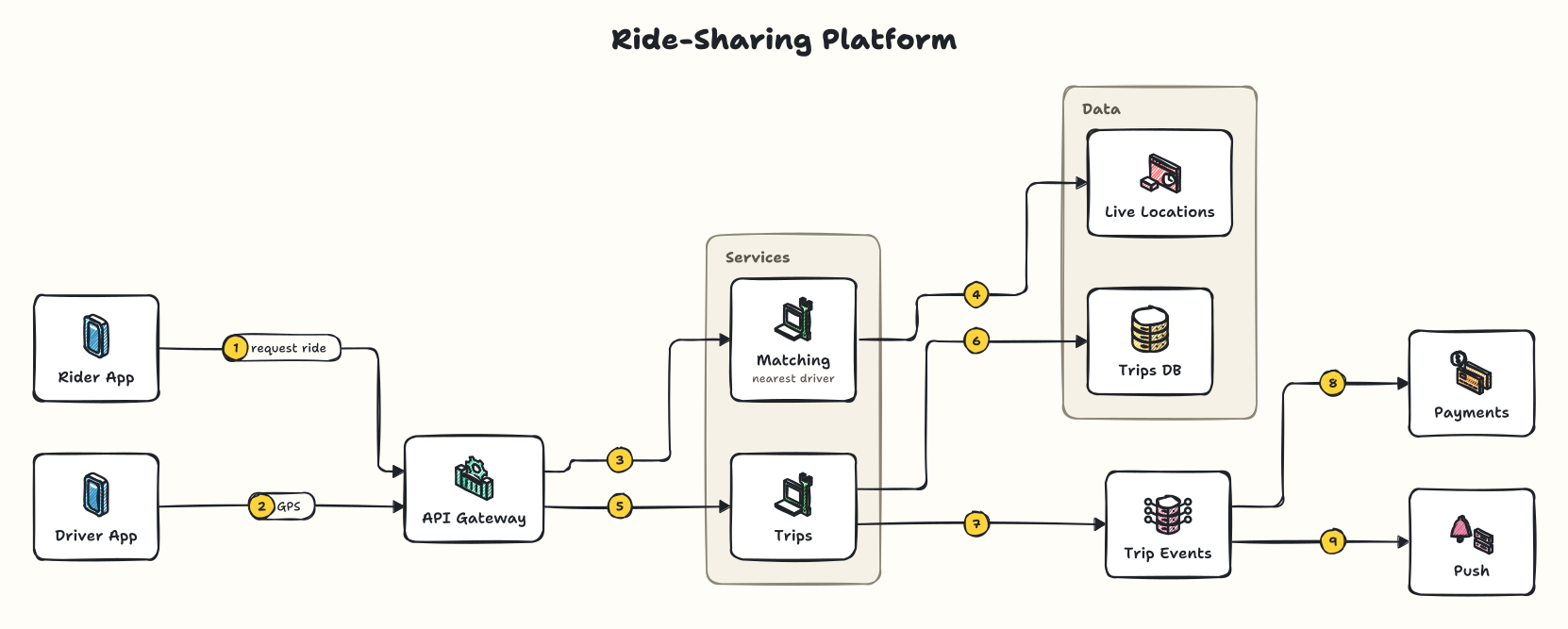
Try it
Change a line and the drawing updates. Try adding - api > search.
Your AI shouldn't hand-draw every box
Ask an AI for a diagram and it writes every line, box and coordinate of an image by hand: slow, expensive, and different every time. With sysketch it writes the short description above, and sysketch does the drawing.
Output tokens to create five system design diagrams with Claude Code (Sonnet): about 18x fewer with sysketch, and about 9x faster. How we measured
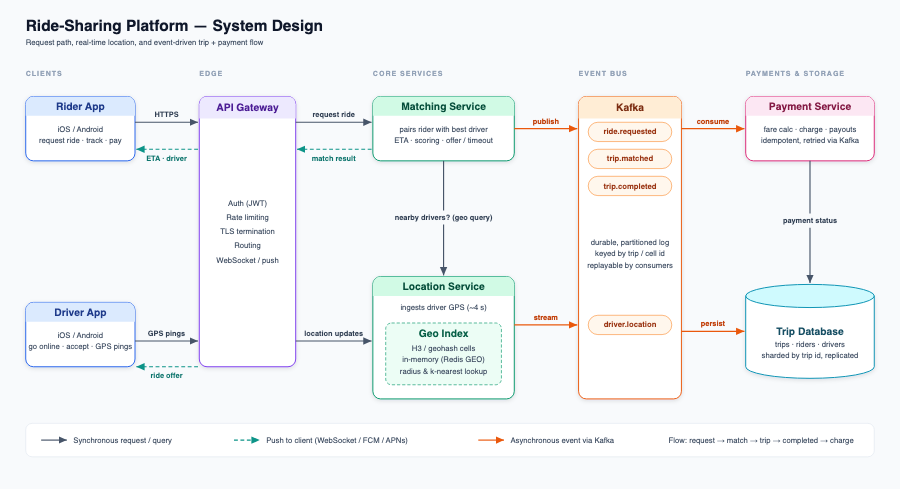
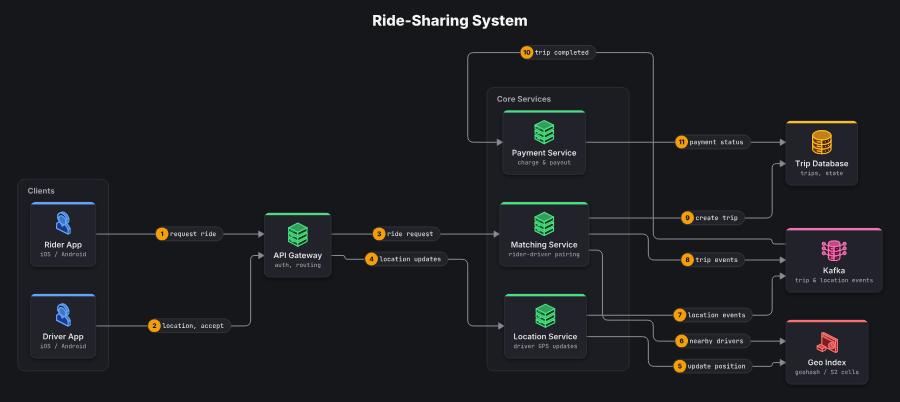
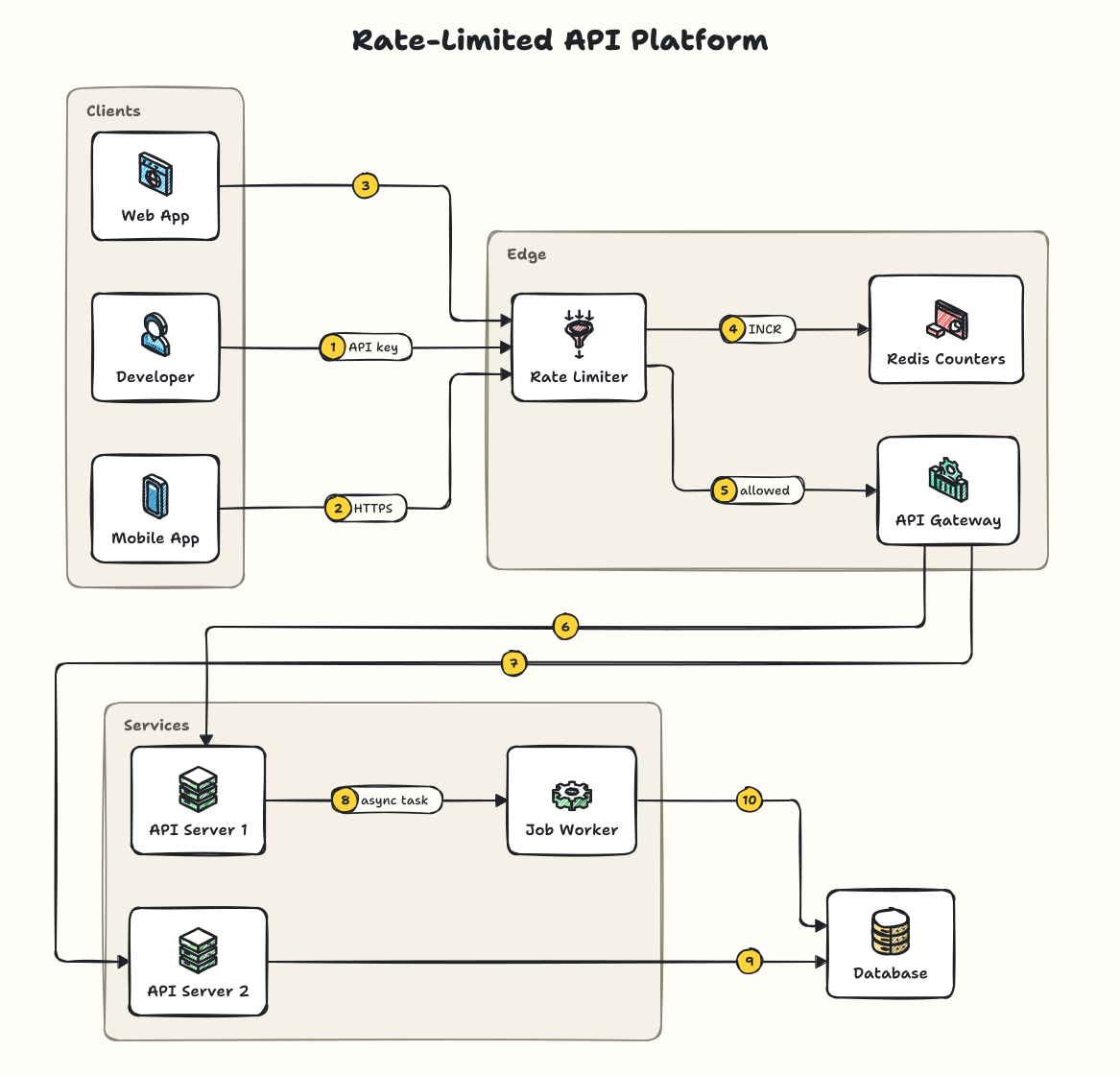
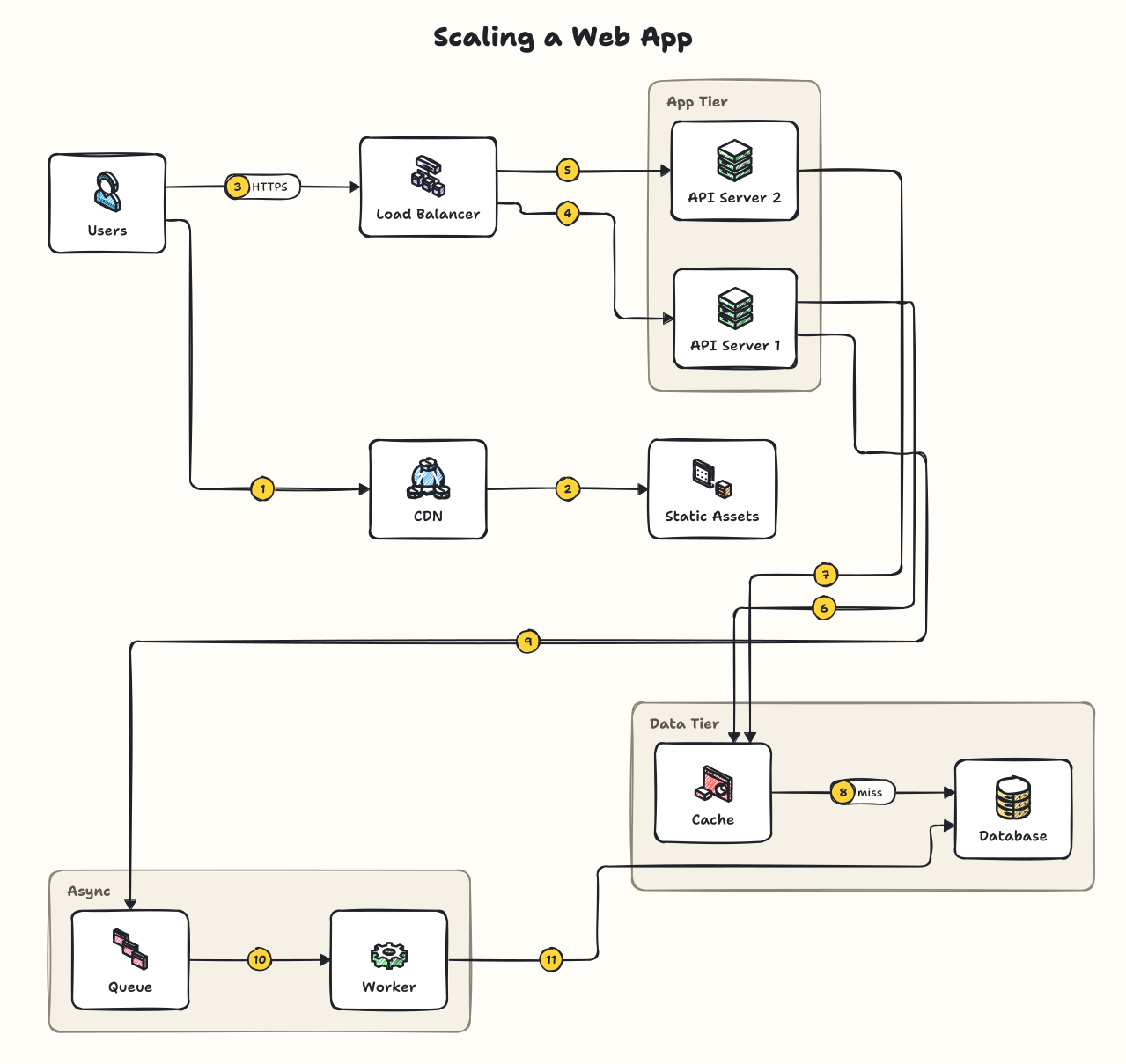
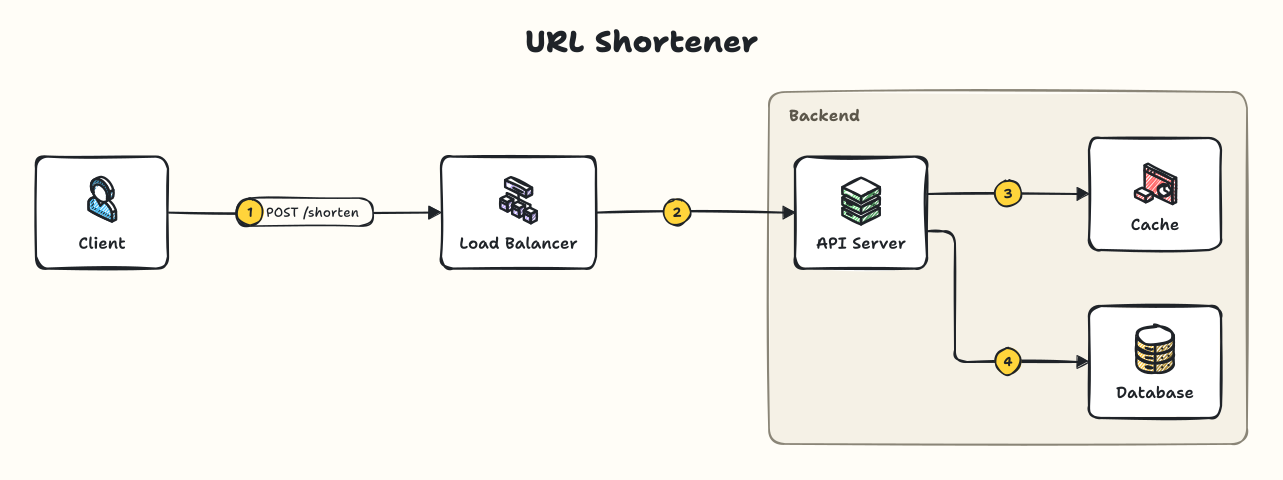
One short description, every kind of system diagram
Show the description
Five looks, one description
Ask for “the blueprint theme” and the same diagram redraws itself. No restyling by hand.
The whole language fits on an index card
Arrows, optional parts and groups. Common names like redis,
kafka or stripe pick the right icon by themselves, and
mistakes come back as fixes: unknown node “databse”. Did you mean: database?
title: Checkout
type: sequence        # optional: a timeline
nodes:
  api: server | Orders API | 3 replicas
groups:
  VPC: [Public, Private]  # groups nest
  Private: [api, db]
edges:
  - client > lb > api | POST /checkout
  - api ..> client       # dashed reply
  - api <> cache         # two-way
  - lb => api            # hot path
  - api -- db            # plain line
  - api > stripe [green]
Works where you already ask
AI chats
Claude, ChatGPT and Perplexity, through one connector URL. In Claude and ChatGPT the diagram opens right in the chat, with zoom and downloads.
Coding assistants
Claude Code, Cursor, VS Code, Windsurf, Gemini CLI and any app that runs MCP servers. Diagrams are saved next to your code, with their description, so changes are a one-line edit.
Command line and code
npx sysketch render diagram.yaml writes an SVG or PNG. In Node,
render(spec) returns the SVG.
Set it up in a minute
Then just ask
“Use sysketch to draw a ride-sharing app with rider and driver apps, an API gateway, a matching service and a trip database.”
Official AWS, Azure and Google Cloud icons, your company's logos and every option are in the README.